Your ownCloud Classic update round-up: security fixes, account lockout and a few things worth checking
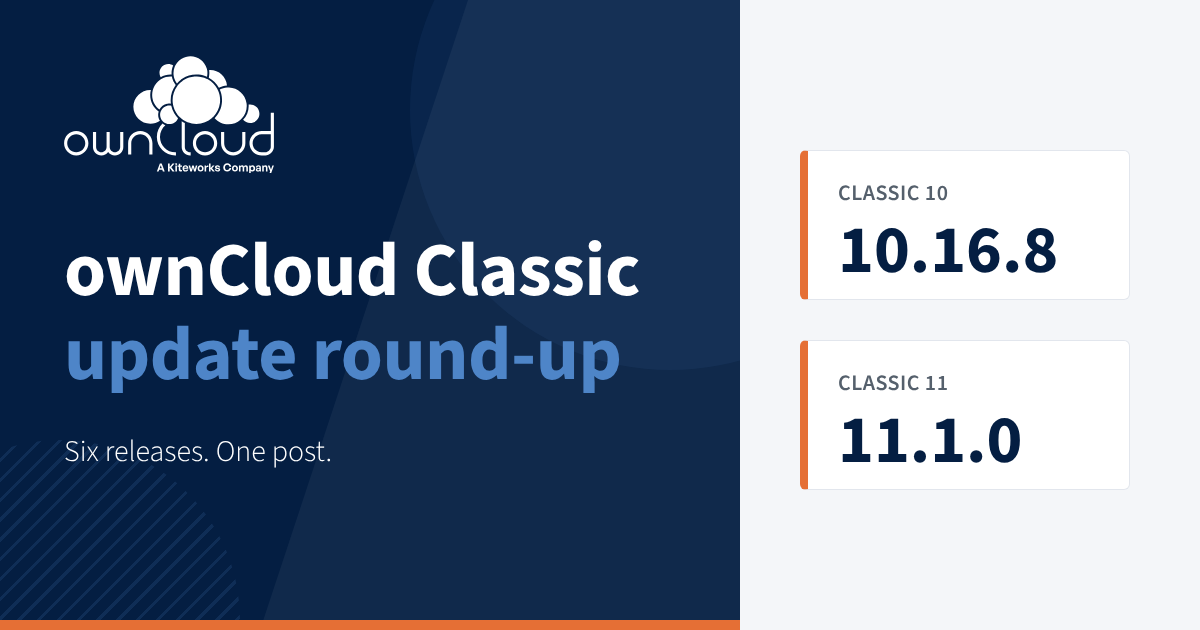
Six ownCloud Classic releases landed between 25 September and 20 November. Here’s what changed, what we’d like you to do, and what you can safely leave alone.
If you run ownCloud Classic, the past two months may have felt like a steady stream of release notes. We know, and we’d like to make it easier. This post brings all six releases together in one place, so you can see what’s new, what we recommend, and what to check before you update.
A quick note on names. ownCloud Classic 10 (oC10) runs on PHP 7.4, and its releases are numbered 10.16.x. ownCloud Classic 11 (oC11) runs on PHP 8.3 or later, and its releases are numbered 11.x. Both lines receive updates side by side. And as we shared in our recent post, ownCloud Classic 10 reaches end of support on 31 December 2026, so this is also a good moment to plan your next step.
The short version
- On ownCloud Classic 10: update to 10.16.8. It includes everything from 10.16.5 onward, and it’s a recommended security update. Start planning the upgrade to ownCloud Classic 11 or oCIS, considering its end of support is coming up soon.
- On ownCloud Classic 11: update to 11.1.0. If you prefer to stay on the 11.0 line for now, 11.0.1 carries the security fixes.
- New in 11.1.0: accounts are now temporarily locked after repeated failed logins. It’s on by default, and you can tune it.
- New in 10.16.8: the web and templateeditor apps are switched off for good. More on that below.
25 September: security fixes in 10.16.5 and 11.0.1
Both lines got a security release on the same day, and we’d encourage everyone to update.
ownCloud Classic 10.16.5 updates the third-party libraries bundled with the server and closes sixteen published advisories in the process. Both 10.16.5 and 11.0.1 also close an issue that could let an administrator run code on the server, along with issues in file preview handling that could let a signed-in user reach files or settings they shouldn’t. We’re keeping the technical detail short on purpose. Our goal is to tell you how serious things were and what to do about them, without handing anyone a head start. The full entries are in the changelog.
There’s some good news tucked in as well, especially if you run Oracle. A fresh install against Oracle on ownCloud Classic 10 used to take over 40 minutes, and now takes about 30 seconds. Uploads, renames and file scans on large Oracle installations are also quicker. Other fixes include a share dialog that no longer hides federated matches when local people share a similar name, and occ no longer prints secret settings back to your terminal (oC11.0.1+).
Neither release needs a schema or configuration change. You can use the usual occ upgrade path.
6 October: 10.16.6, a quick follow-up
Shortly after 10.16.5, people running ownCloud Classic 10 hit an unexpected snag. Some WebDAV clients and sharing operations didn’t get the answer they expect when asking about a path that doesn’t exist. ownCloud Classic 10.16.6 restores the expected behavior and refreshes a few PHP dependencies. If you’re still on 10.16.4 or earlier, you can skip straight ahead to 10.16.8.
2 November: 11.1.0 and 10.16.7
This pair brings a few changes that deserve a calm read before you update.
Account lockout (11.1.0). Previously, local accounts had no built-in limit on failed password attempts. Now, after five failed attempts, an account on the built-in user backend is locked for ten minutes, and the login form tells the person when they can try again. The lockout always expires by itself, a successful login clears the counter, and nobody is ever disabled permanently. Accounts backed by LDAP or Active Directory aren’t affected, because those are throttled by the directory itself. You can adjust the thresholds with the new account_lockout.* settings in config.php, and if someone gets locked out and needs back in right away, occ user:unlock <login> takes care of that (it accepts a username or an email address).
App package signatures (both lines). The installer now checks the signature of every app package it installs or updates. Where code signing is enforced, an app without a valid signature installs only if you’ve listed it in integrity.ignore.missing.app.signature. An app archive must also contain exactly one app folder, named after the app ID in its info.xml. If you use custom or third-party apps, it’s worth checking them first.
Updated CA certificates (both lines). We replaced the bundled CA certificates with curl’s 20 October 2026 extract of the Mozilla root store. Following Mozilla’s decisions, a number of older roots are no longer trusted. If one of your outgoing connections (external storage, federation or an OIDC provider) chains only to a removed root, it will fail certificate verification after the update. The fix is quick: import the root yourself with occ security:certificates:import. The changelog has the full list.
Smaller fixes (11.1.0). Three bugs in how certificate bundles are maintained are fixed, so removed certificates stop being trusted, and bundles are regenerated during occ upgrade and occ maintenance:repair. Google Drive external storage no longer fills your log with errors. Dependencies are refreshed in both releases.
20 November: 10.16.8, our newest release
ownCloud Classic 10.16.8 is a maintenance release for the 10.16 line, and a recommended security update. It permanently disables the web and templateeditor apps, and it refreshes our PHP dependencies. We recommend updating.
Why those two apps? The web app in core was the original built-in web front end. It has long been replaced by ownCloud Web, which now belongs to ownCloud Infinite Scale (oCIS), and templateeditor was its companion. Neither has a path forward on ownCloud Classic 10, so rather than leave unmaintained code switched on, core now turns both off during the upgrade. They can’t be enabled again afterward, whether through occ, the admin UI or the provisioning API.
If you still had either app switched on, you don’t need to do anything for the upgrade itself. But if a workflow depended on them, please move it to a supported front end before you update. Nothing else changes in this release, and there’s no configuration work. You’ll find the details in the 10.16.8 release notes.
Getting the updates with Docker
If you run the official image, pulling the new versions is a single command each:
# ownCloud Classic 10
docker pull owncloud/server:10.16.8

# ownCloud Classic 11
docker pull owncloud/server:11.1.0
A few tags move along with these releases. The 10.16, 10 and latest tags now point at 10.16.8, so latest stays on the Classic 10 line. The 11.1 and 11 tags point at 11.1.0, and 11.0 stays on 11.0.1 for anyone who wants to remain on that line. If you’d rather pin an exact version, use the full tag. The image page is on Docker Hub. Tarballs and ZIPs, with GPG signatures and SHA-256 checksums, are on the GitHub release pages, but please remember that Docker is the officially supported way of deploying ownCloud Classic.
A short checklist before you update
- Back up your data and configuration, as you would for any update.
- Check that any custom or third-party apps carry a valid signature, or add them to the ignore list on purpose.
- After updating, test the outgoing connections you rely on (external storage, federation, OIDC) so a removed root doesn’t surprise you.
- On ownCloud Classic 11, take a moment to review the new account_lockout.* settings.
- On ownCloud Classic 10, check whether anything still relies on the web or templateeditor
Looking ahead
With ownCloud Classic 10 ending support on 31 December 2026, the choice in front of many of you is between moving to ownCloud Classic 11 and moving to ownCloud Infinite Scale. Our earlier post walks through both paths. If you’re unsure where to start, or something doesn’t look right after an update, tell us. You can reply in our GitHub Discussions or on ownCloud Central, and we’ll happily help.
Thank you for running ownCloud, and for telling us when things go sideways. It makes every release better.
Warmly,
The ownCloud team